

Robotics & Engineering - Week of 04/06/26
This week I shifted gears a bit, and moved away from the golf cart project. I really felt like I needed a break from the battery system and all that has been going on for a week, so I decided to pick up another quick project to finish in the week.
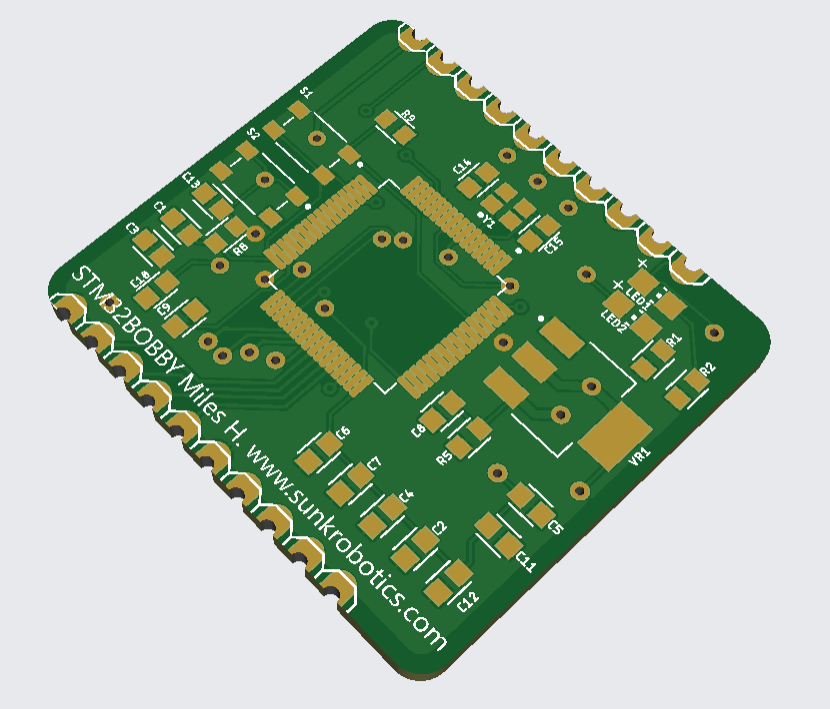
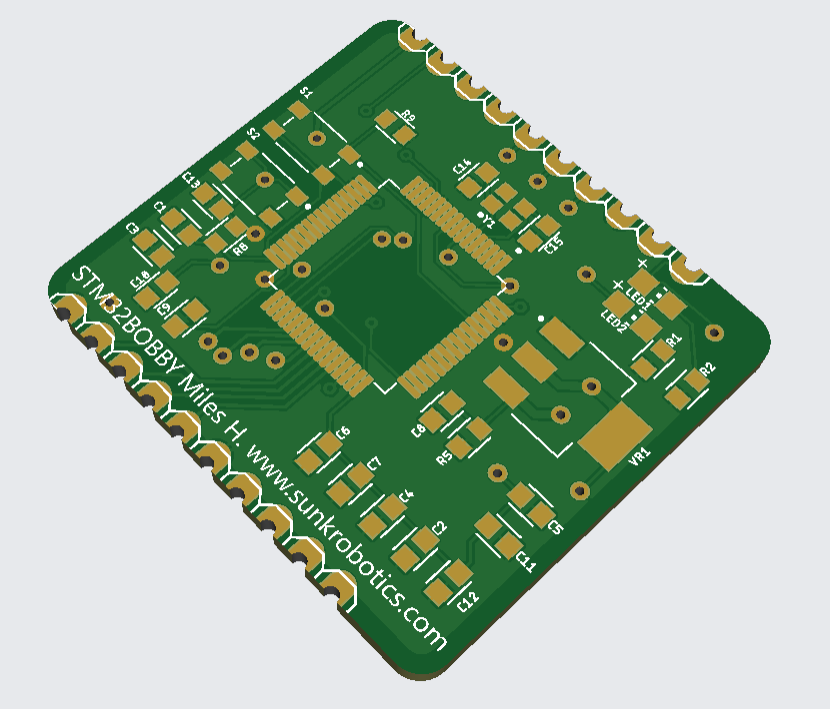
Originally, I started by working on a STM32 breakout board for Alachie and BOBROV (read more on the sunk robotics page).
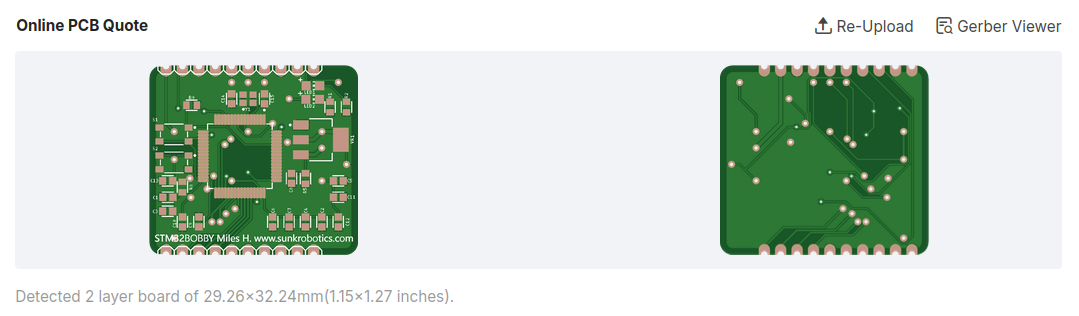
The board is centered around the STM32F405 chip which is a very capable 3.3v STM-family MCU. It was chosen because it can generate the necessary DSHOT commands for the eight ESCs on the ROV. Although existing breakouts exist for this board, we found it more appropriate to make our own breakout board which only contained the essentials. Not only does this cut down on the board size, but it increases power efficiency and performance of the chip. Also, it’s just a fun learning experience!
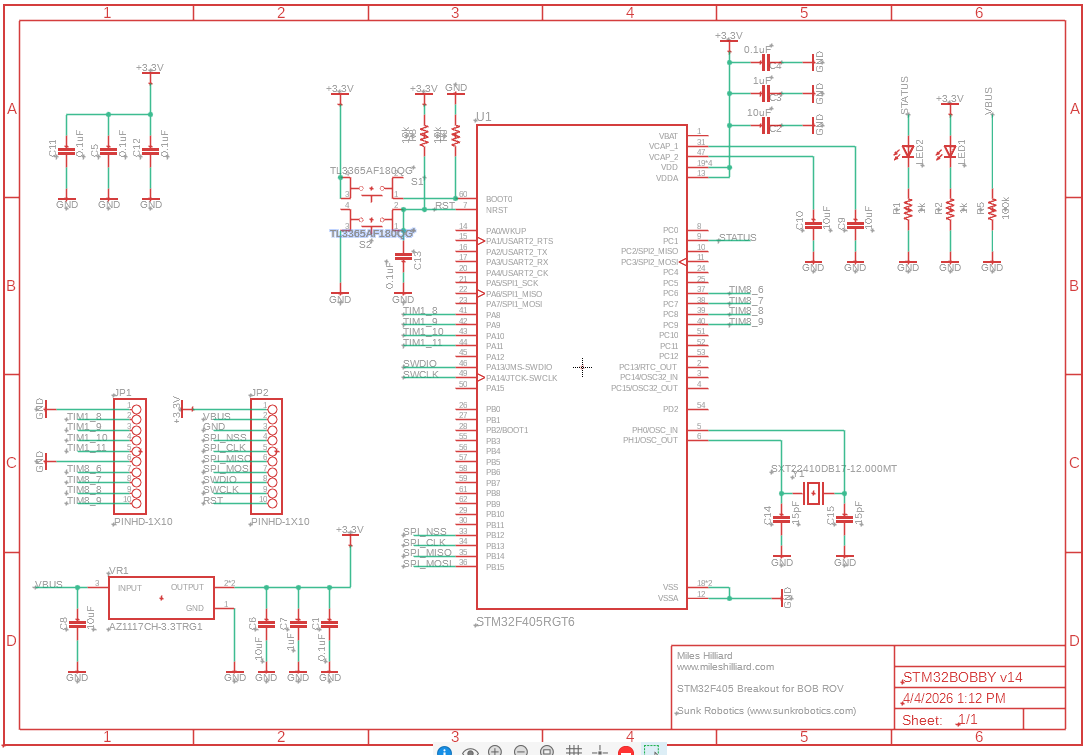
On Monday, I started the schematic for the board. This ultimately went through several iterations, but with the help of Alachie, we ended up settling on a minimalistic design without a USB port…
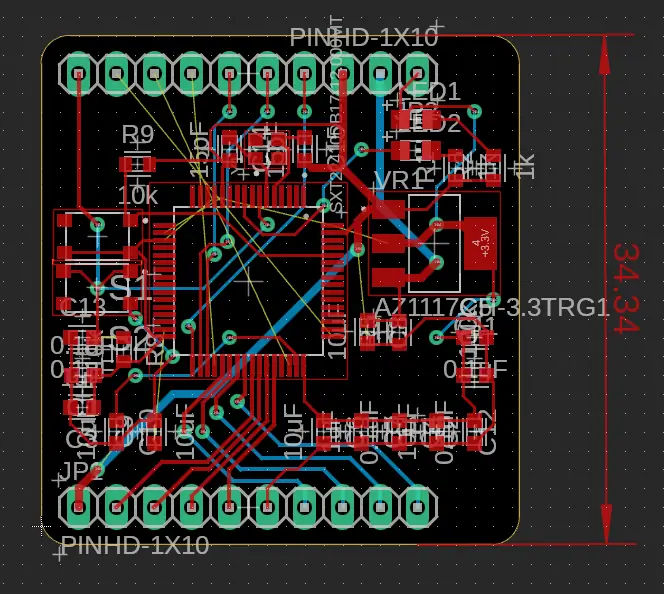
By Wednesday, the board layout was looking pretty nice. I couldn’t get auto-router to work, so I just ended up doing it myself which was more fun anyways. It’s not my tidiest work, however I was in a bit of a rush and the aesthetic won’t prevent it from working optimally!
Once robotics club started on Wednesday, I decided to step back and work on yet another project. Tim recently acquired a large quantity of old laptops and desktops, and while I was casually peruising through the box, I stumbled across a neat laptop that was almost the size of a small tablet. I couldn’t get it to turn on normally, so I tore it down and did some hackery to solder my own wires bypassing the charging circuit straight to the motherboard.
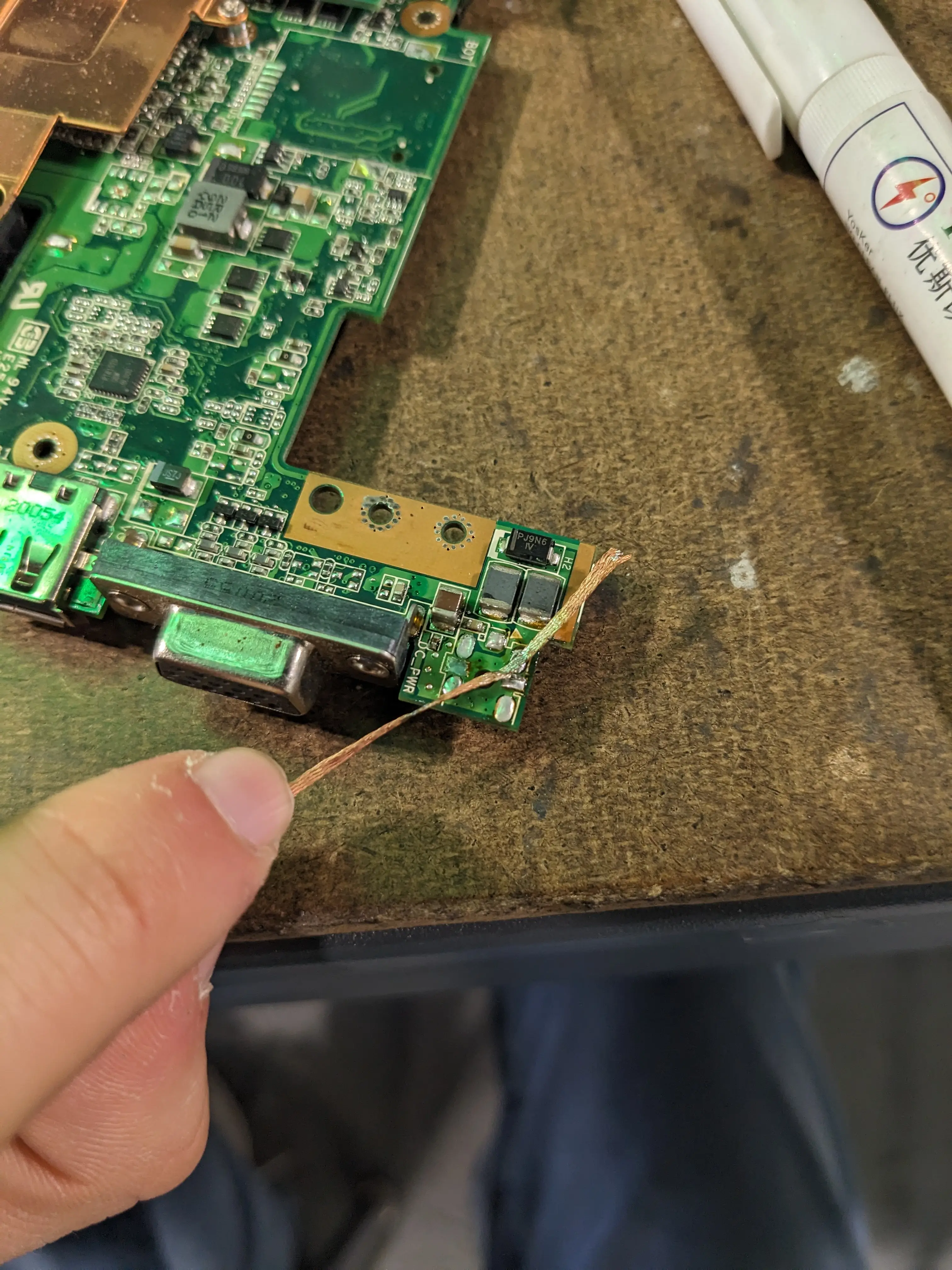
This allowed me to power it up separately, and I actually got it to boot up. As old as it is, someone had installed Windows 10 on it, which was painfully slow to boot. The laptop has 1GB of ram in it! I then spent a few hours trying for it to boot into a USB drive so I could install a lightweight Linux distro on it to breathe new life into it.
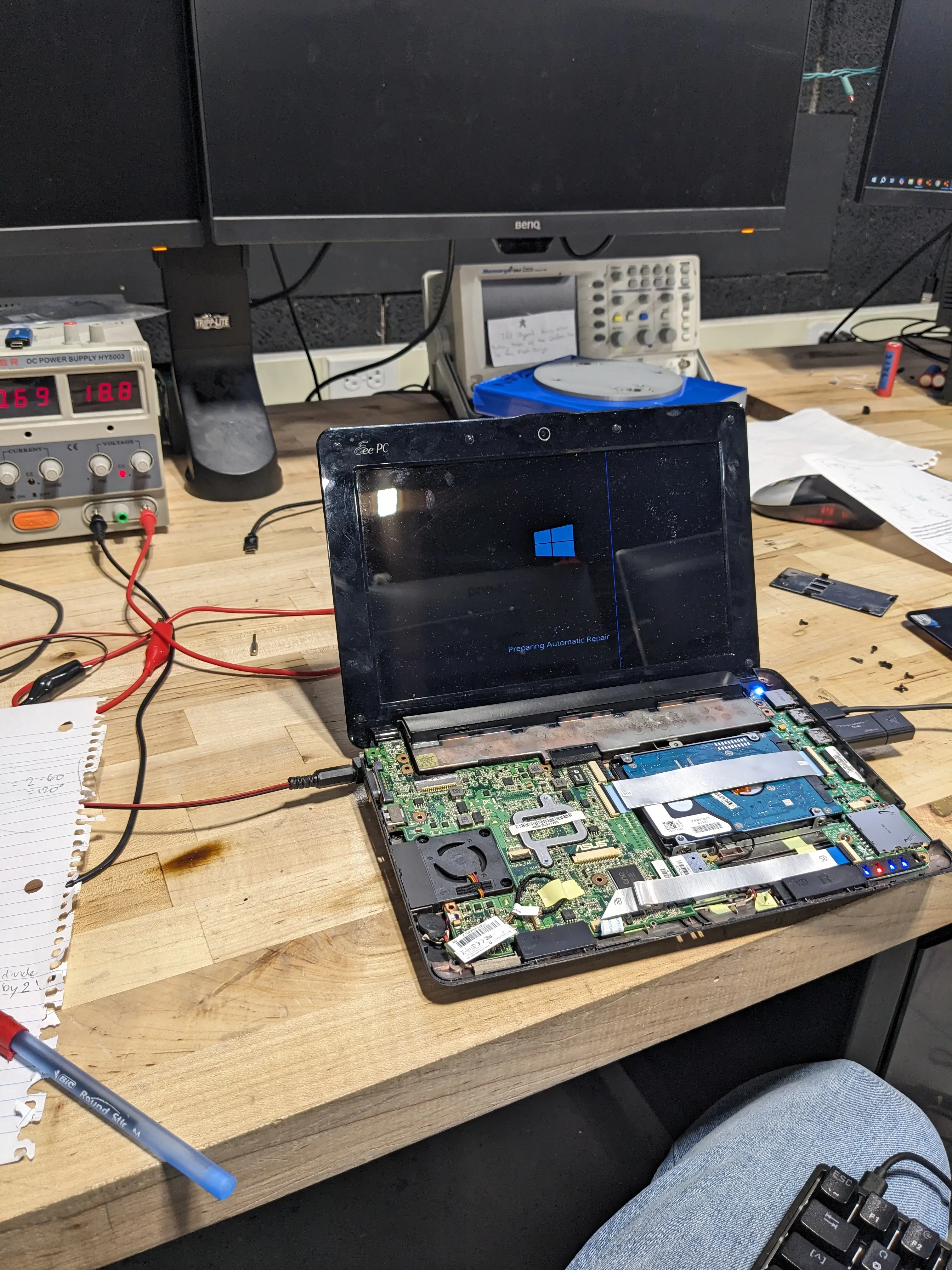
I didn’t end up it gettting working on Wednesday, so I decided to try to rebuilt the battery in it.
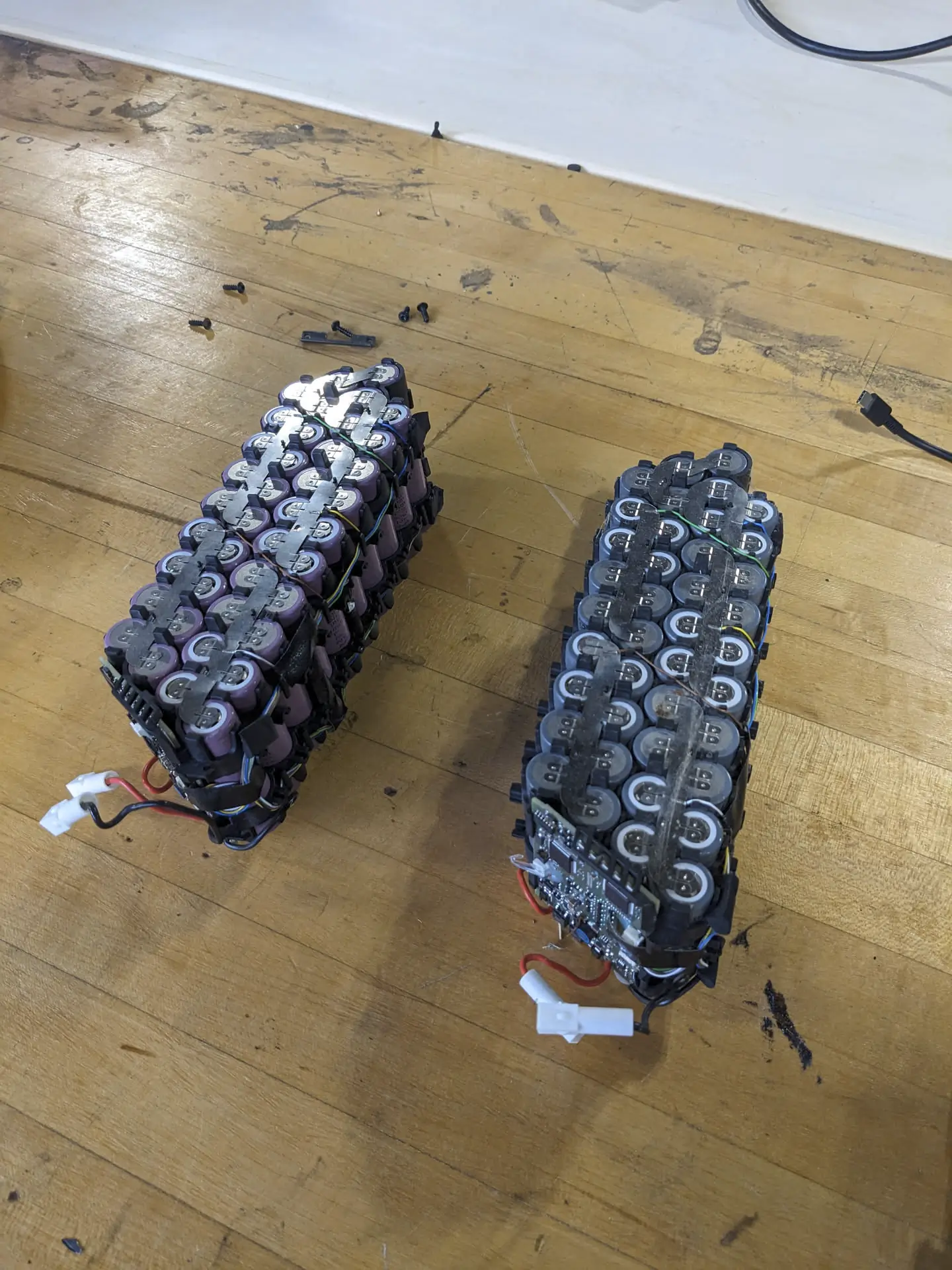
After cracking the original battery open, I found that it was simply made of 18650 cells. I checked their voltage and they were all >0.5v. No recovering those! Luckily Mr. Christy had an old E-Bike battery with a few bad cells. I identified six good cells in that, and extracted them to serve as my replacements.
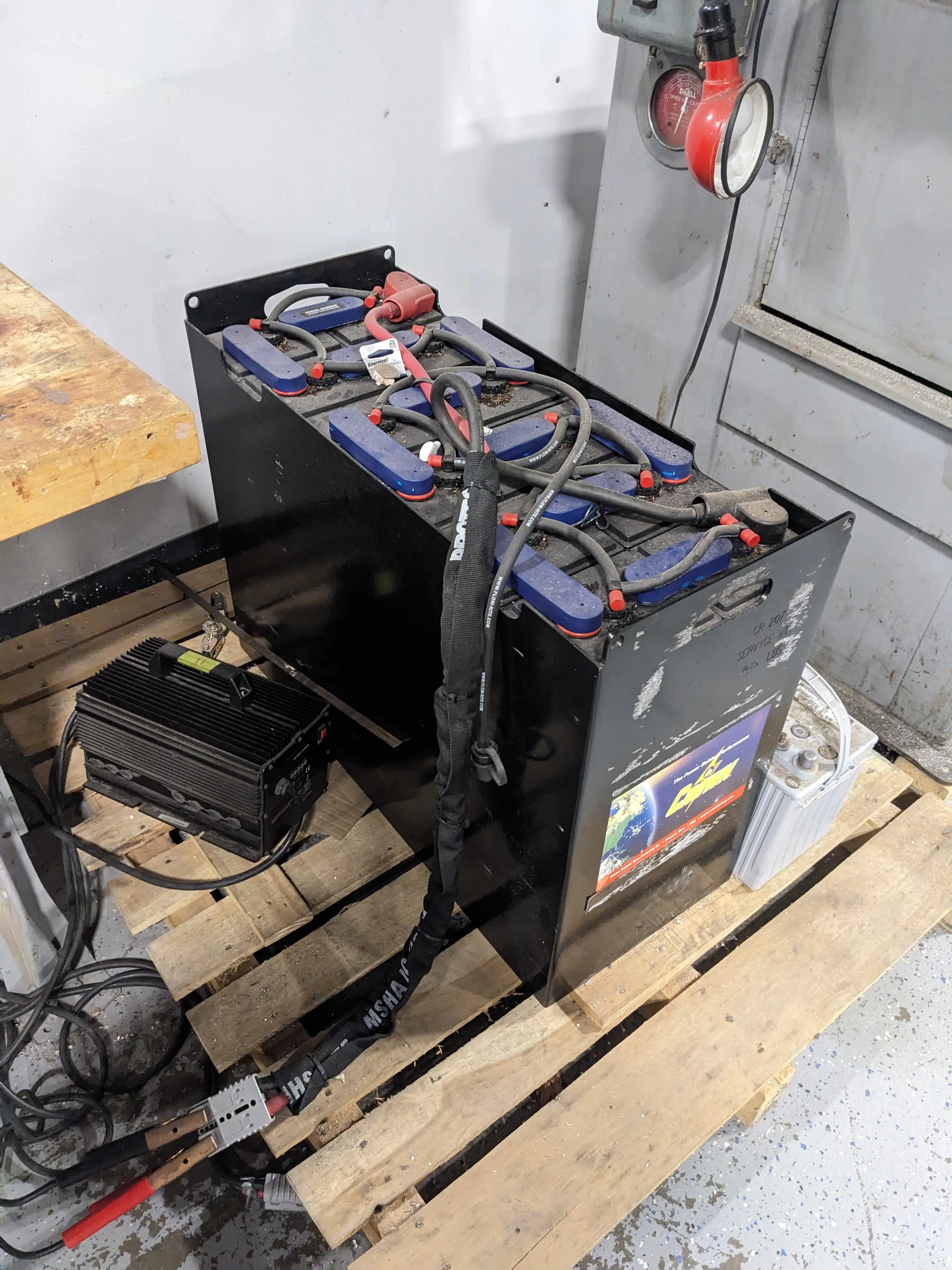
I then broke out our new spot welder that Mr. Christy got awhile back. I decided to power it off of our 24v forklift battery we just have lying around.
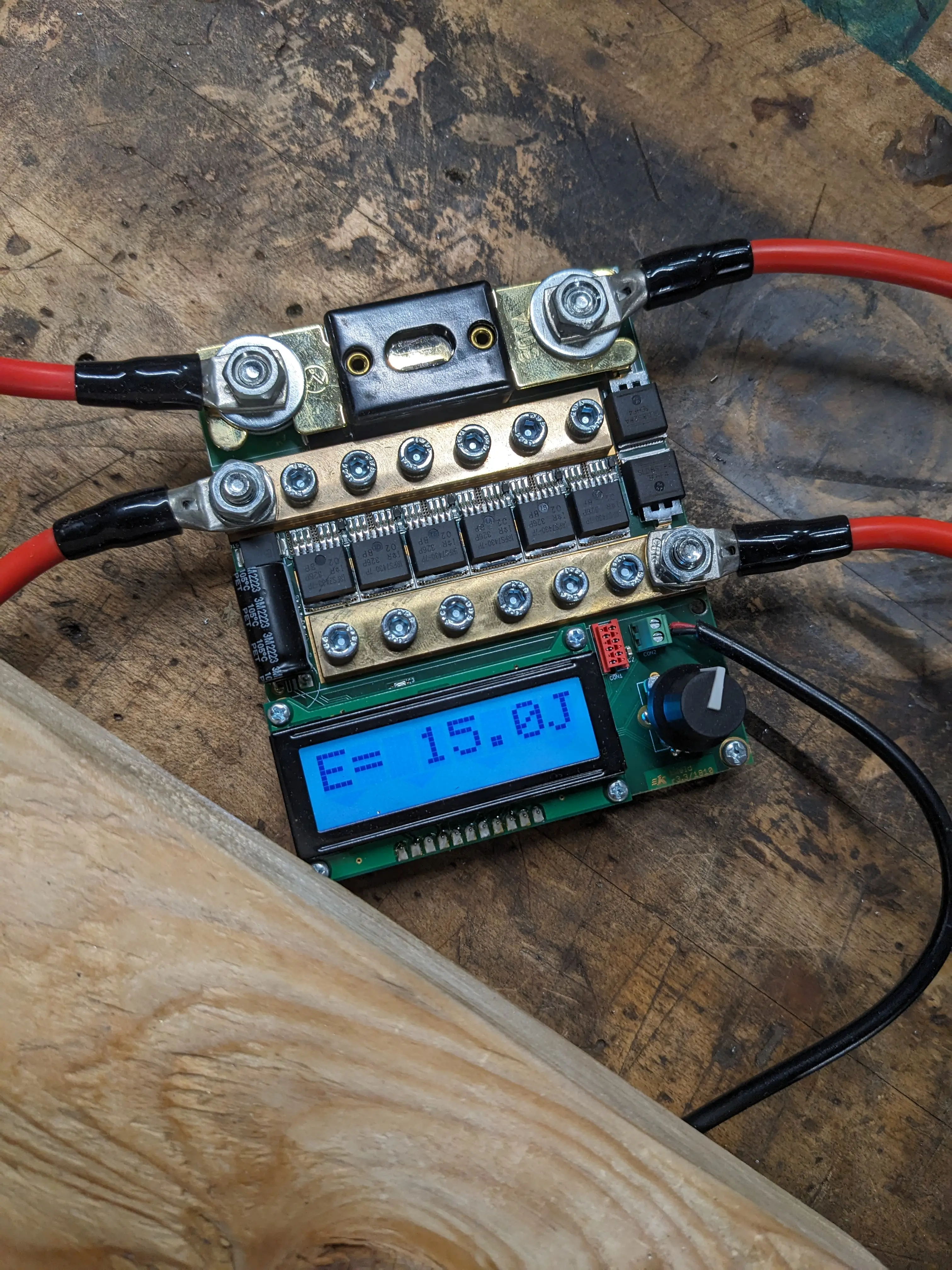
Unfortunately, I didn’t know how much power I should have been pushing out when spotwelding. I started at 10 Joules but I quickly realized that it wasn’t enough. Although my spotwelds were plenty strong for what I needed them for, they are far from pretty! My last two batteries were the only good looking ones (I didn’t snap a photo sadly) and they were welded with 25 joules, which is the sweet spot for our welder it seems.
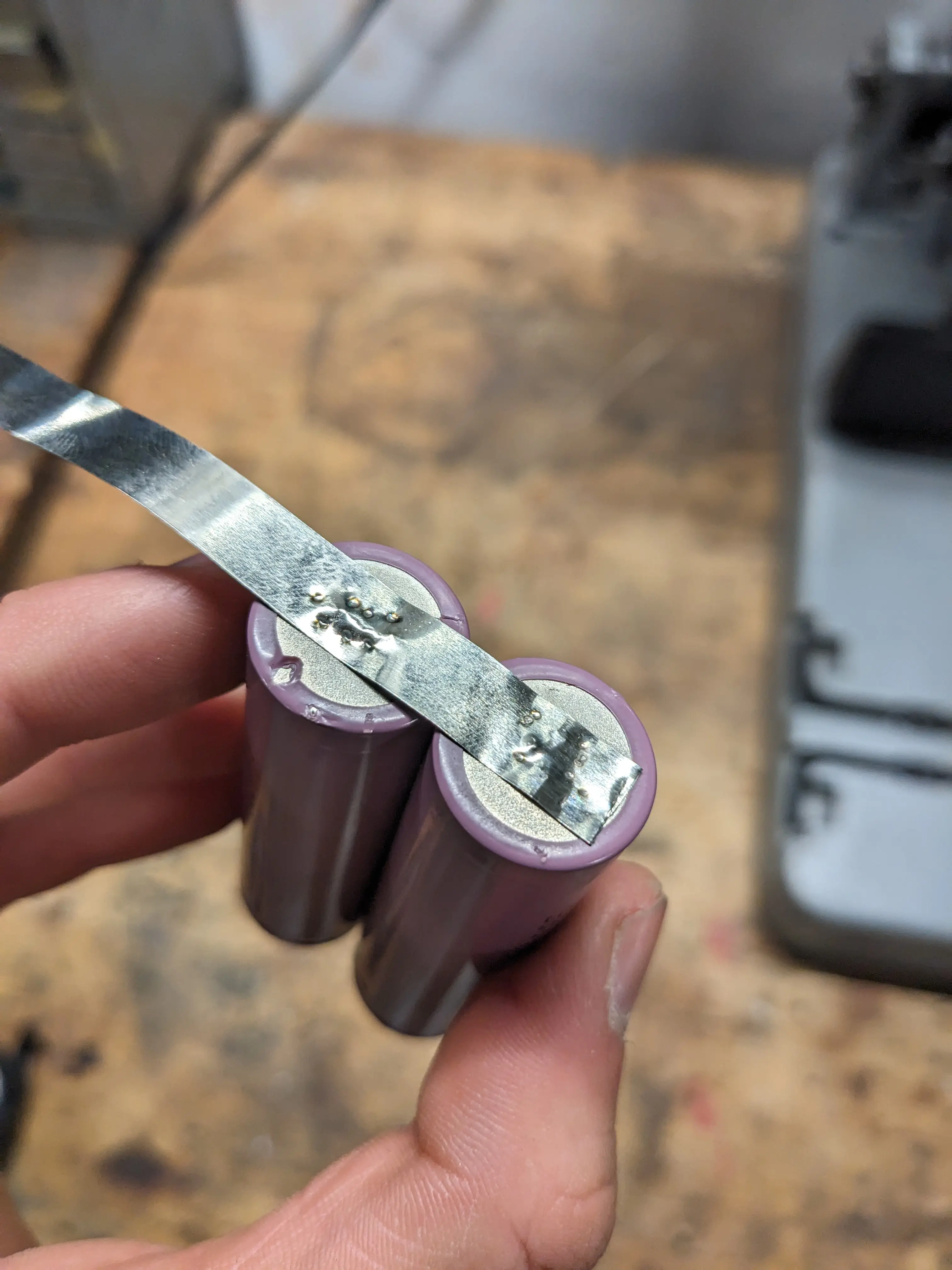
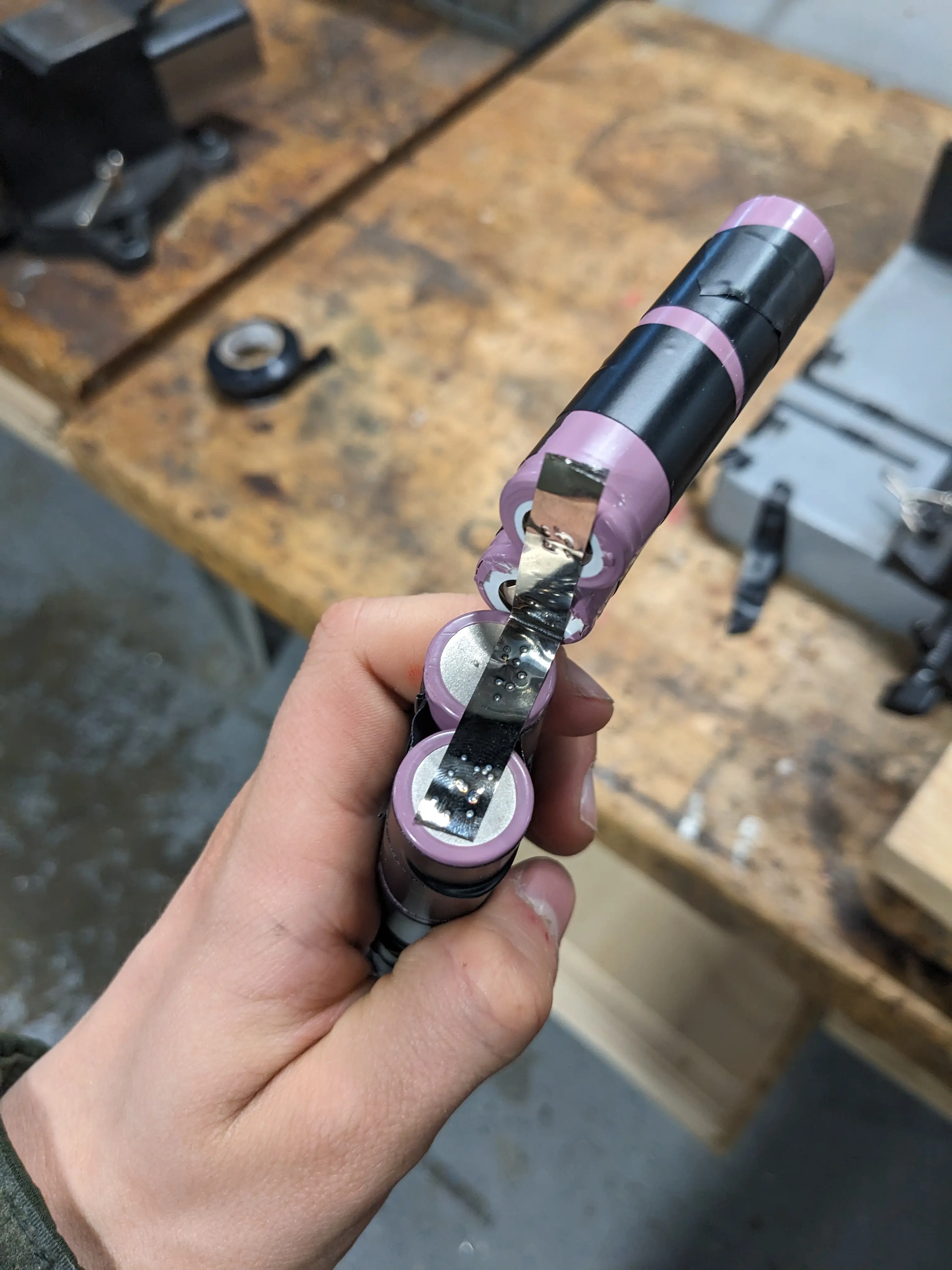
I then simply resoldered the original BMS onto the battery according to the original one. GND to GND, ‘4v’ to the + of cell 2, ‘8v’ to the + of cell 4, and ‘12v’ to the overall + of the pack.
As ugly as it is, I decided to rap everything in electric tape to have it hold shape better. This doesn’t matter too much, as it will all be put back into the plastic case and covered up fully anyways.
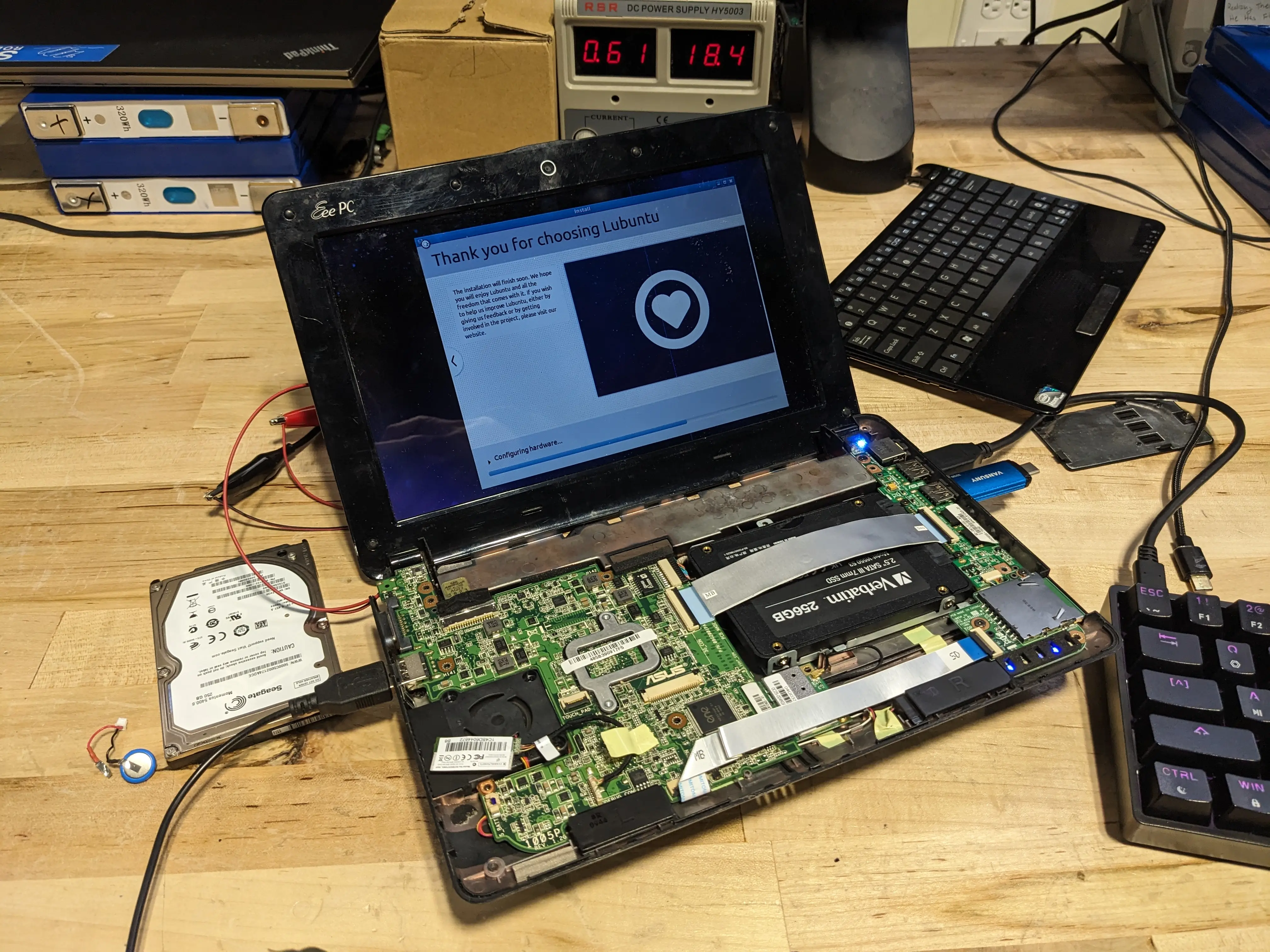
I put everything back together, and reinstalled the battery. When I pressed the power button, nothing happened, so I assumed the battery wasn’t making great contact with the PCB on the laptop. I then spent about an hour trying to probe the pins on the battery, but I couldn’t get any readings off of it. Then, the thought that maybe the BMS was still tripped from the old dead batteries was the problem. I put the battery into the laptop and tried charging it with the power supply. Immediately, it started drawing over 2 amps. I didn’t initially know if it was frying something or charging, so I kept a close eye on it. Ultimately, I was able to disconnect the PSU and power it up off of battery!
Once this worked, I flashed a USB drive directly with Lubuntu. I was using ventoy previously, but I think that was causing issues. Lubuntu is a super duper lightweight version of Ubuntu Linux I figured would be more appropriate to have running on the laptop compared to Windows. The good news is that this worked great! Before installing everything, I swapped the low RPM and slow HDD for a spare SSD to make my life a little better.
By Thursday, I had the energy to finally send off the STM32 breakout board to JLCPCB with the help of Mr. Christy.
There will be more to come when the boards arrive for sure!!
0
Views